 Driving
How to Know When a Family Member Arrives (Without Texting Them While They Drive)
Never ask a driver for an ETA while they are driving, because answering means taking their eyes off the road. Set arrival and departure alerts for the two or three places that matter, glance at the map instead of calling, and agree the rules with adults rather than imposing them. Expect gaps from battery and signal, and treat the map as information rather than a promise.
There is a particular kind of evening where dinner is nearly ready, someone is later than expected, and the kitchen slowly fills with mild low grade worry. The reflex is to send a message. Home soon? Two words, no pressure, entirely reasonable.
Except the person receiving it is driving. Now they either ignore a message from someone they love, which nobody finds easy, or they glance down. The most caring version of that text is still a request for a driver to look away from the road, and the answer it produces is worth almost nothing.
The fix is not more willpower. It is arranging things so the question answers itself before anyone thinks to ask it.
Why the text is the worst tool for the job
A message asks a moving person to stop attending to the road and produce an estimate. The estimate is a guess. Traffic does not consult it. You have traded a driver's attention for a number that is wrong within a mile, which is a bad exchange on any evening.
It also sets a habit. If a family learns that the way to find out where someone is involves poking them, the poking increases. Teenagers in particular start driving with a phone that keeps lighting up, which is the exact situation everyone says they want to avoid. Our distracted driving family phone rules covers the wider version of this conversation.
The one rule to agree tonight
- We do not text or call someone we know is driving. If it truly cannot wait, the passenger calls, or you wait for the stop.
- Drivers do not need to reply to prove they are fine. Silence on a motorway is the correct behaviour.
- If you want to know where someone is, look, do not ask.
Arrival and departure alerts do the asking for you
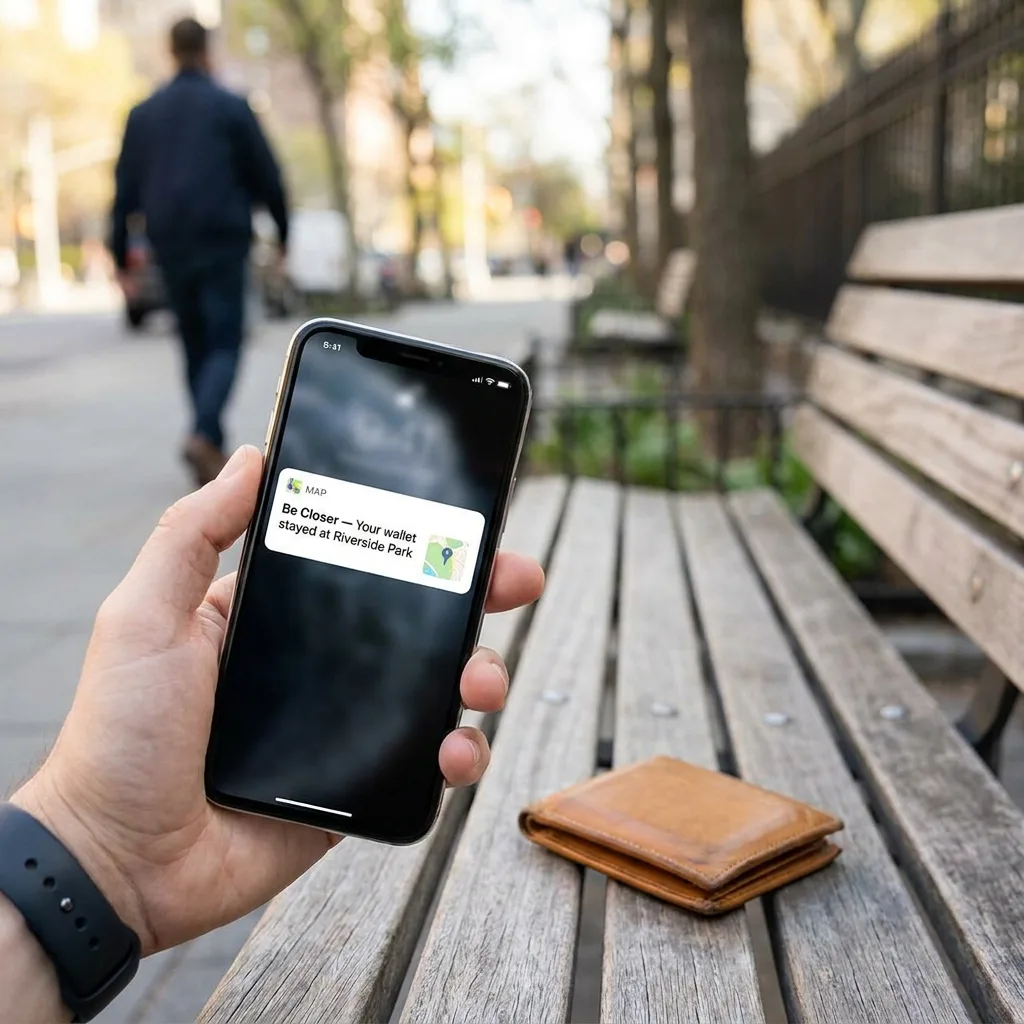
An arrival alert is a notification that fires when a family member reaches a place you have marked. A departure alert fires when they leave one. Between them they answer nearly every version of the where are they question without anyone typing anything.
The trick is restraint. Two or three places, not twelve. Home, work or school, and perhaps one regular destination like a grandparent's house or a training ground. A phone that buzzes every time somebody passes a shop stops being useful within a week and gets muted, which is worse than never setting it up.
- 1Pick the places that end a worry. Arriving home, arriving at school, leaving work. These are the moments the household actually cares about.
- 2Set them together. Everyone should know which places are marked, because a surprise alert feels like a trap.
- 3Choose who gets each alert. Not every alert needs to reach every person in the family.
- 4Review after a fortnight. Delete the ones you have started ignoring.
A good alert replaces a conversation nobody wanted to have. A bad alert creates three.
Glance at the map instead of calling
For everything the alerts do not cover, a quick look at the map is enough. Is the dot moving, is it roughly where you would expect, is it on the usual road. That takes four seconds, disturbs nobody, and answers the actual question, which is almost never what is your precise ETA but rather is everything normal.
Be Closer is free to download and used in 13 languages, with 4.4 stars from more than 150,000 ratings across the App Store and Google Play and over 10M downloads. The reason a map beats a text has nothing to do with any of that. It is simply that looking costs the driver nothing and asking costs them their attention.
One caution worth saying plainly. Glancing is fine, watching is not. If you find yourself refreshing a map for twenty minutes, the map is feeding the worry rather than settling it. Put the phone down, serve the dinner, and let the arrival alert do its job.
Adults are not teenagers, and the rules should show it
A partner is not a person you supervise. The same tool used differently becomes something else entirely, and the difference is who agreed to what and why.
- Mutual by default. If you can see their arrivals, they can see yours. No exceptions for the person who set it up.
- Named purpose. We use this so nobody texts a driver, and so nobody waits up wondering.
- Easy exit. Anyone can pause sharing for an afternoon without it becoming a discussion. How to pause location sharing explains the low drama way to do it.
- No score keeping. The map is not evidence and should never be quoted back at someone in an argument.
With teenagers the framing is different but the honesty is the same. Say what you can see, say what you will use it for, and say what would make you stop. Talking to teens about location sharing is the conversation itself, and a new driver in the house also needs a plan for the bad night, which is the teen roadside breakdown plan.
Be Closer shows your whole family on one private map, free to start.
Consent-first, never sold, and gentle on your battery. iOS and Android.
The honest limits
None of this is a guarantee, and pretending otherwise is how families end up more anxious than before. A location alert depends on a phone that is charged, connected and switched on, which is three things that can each go wrong in a normal week.
- Battery. A dead phone is silent, and a dead phone at the end of a long day is common rather than alarming.
- Signal. Rural roads, tunnels and multi storey car parks all create gaps. A late update is usually a dead zone catching up.
- Accuracy. Up to 95% accuracy in good conditions. Less under a car park roof, and an alert can fire slightly early or slightly late.
- Low power mode. It can change how often a phone reports in. Does low power mode affect location sharing has the detail.
So agree what a gap means before you get one. In our house a stationary dot on a motorway means the phone lost signal, not that something happened, and the response is to wait fifteen minutes rather than to start ringing. Deciding that in advance is the difference between a calm evening and a bad one.
Put together, the whole system is three things: two or three alerts, a habit of looking rather than asking, and one agreed rule about not contacting a driver. It takes ten minutes to set up and it quietly removes the most common unnecessary risk in family life, which is somebody kind sending a message to somebody driving.
Agreeing places without turning the house into a map
The word geofence puts people off, and rightly, because it sounds like something you do to a warehouse. In practice you are naming two or three ordinary places that already matter to your household, and asking the phone to mention when someone reaches one.
Name them the way your family already talks. Home, not 14 Elm Road. School, not the postcode. Nan's, not the coordinates. It sounds trivial and it is the difference between alerts that feel like part of family life and alerts that feel like a logistics dashboard someone installed on you.
- Home. The one nearly every household wants, because it ends the evening question entirely.
- School or work. Morning reassurance, and it removes the did you get there text.
- One regular extra. Training, a grandparent, a weekend job. Only if it is genuinely weekly.
- Nothing else, for now. You can always add one later. Removing an alert everyone has learned to ignore is harder.
Size matters more than people expect. A place set too tightly around a front door will fire late or not at all when accuracy dips. A place set too wide will announce an arrival while somebody is still three streets away. Start slightly generous, live with it for a week, and adjust once rather than fiddling nightly.
Set every place with the person it concerns in the room. A teenager who helped choose the school place treats the alert as a shared arrangement. A teenager who discovers it treats it as evidence that they were right to be suspicious, and you will not get that back quickly.
What this looks like on an ordinary evening
It is worth describing the finished thing, because the parts sound more elaborate than the result. Somebody leaves work. Nobody at home knows or needs to. Twenty five minutes later a phone in the kitchen buzzes once to say they are home, and the pasta goes in.
On the evening they are late, nothing dramatic happens either. Whoever is cooking looks at the map for four seconds, sees a dot moving slowly on a road that is famously slow at that hour, and puts the pasta back in the cupboard. No message is sent, no driver looks down, and nobody spends forty minutes producing worry out of nothing.
- 1Normal. The alert arrives, dinner happens, nobody thinks about the app at all.
- 2Slightly late. One glance, one decision about dinner, no contact.
- 3Properly late with a stationary dot. Wait the agreed fifteen minutes, then one call, on the assumption it is signal.
- 4No update at all for a long time. Now call, and call the place they left if you need to. This is the case the whole arrangement exists for.
That escalation ladder is the part to write down. Everything above it is settings. The ladder is what stops a quiet evening from turning into a loud one, and it works because everyone agreed the steps while nothing was wrong.
Frequently asked questions

Daniel covers privacy, consent and the technology under the hood. A dad who reads the settings screens so you don't have to, he believes the best family tech is the kind you can explain to your kid in one sentence, and that nothing should ever be tracked in secret.
Our guides are written by Be Closer's editorial voices and reviewed by the team behind the app. Questions? support@becloser.com
Published · Updated