 Privacy & Trust
How to share your location temporarily (and turn it off again)
Most sharing should have an end time attached at the moment you start it, using the one hour or until end of day options built into phones and family apps. Temporary sharing suits first dates, marketplace meetups, contractor visits and travel days. Always verify afterwards from the sharing settings screen rather than assuming a timer expired.
There is a version of location sharing that people rightly hesitate over: the permanent kind, switched on once and never revisited, quietly running for three years. And there is a version almost nobody objects to: two hours, one specific reason, then off.
The second one is underused. It solves a genuine problem, which is that you sometimes want one person to know where you are for one afternoon, without that becoming a standing arrangement or a conversation about trust.
This is how time boxed sharing works, when it is worth using, how to make sure it actually stopped, and how to ask for it from someone else without making it weird.
Share for a reason and a season
That phrase is the whole philosophy. Every share should have a why and a when it ends. If you cannot name both, you are probably setting something up you will forget about, and forgotten sharing is where the discomfort comes from.
One sentence rule: if a share has no end date, it is not a share, it is a setting.
Permanent sharing is not wrong. Between partners who both chose it, or with a child during the years they are learning independence, it can be a genuinely good arrangement. But it should be an explicit decision, revisited, not a leftover from a weekend in 2023. The framing in should couples share their location is useful if that is the conversation you are actually having.
When temporary sharing earns its place
- First dates and meeting someone new. Share with one friend for the evening. It is not a statement about the date, it is the same instinct as telling someone which restaurant you are going to.
- Marketplace meetups. Selling a sofa, buying a bike, collecting something from an address you have never been to. Share for the trip, meet in a public place where possible, end it when you are home.
- Contractors and viewings. If you are letting someone into a home, or visiting an empty property alone, a two hour share costs nothing.
- Travel days. Airports, connections, late arrivals in unfamiliar cities. Family can watch the progress without needing hourly texts, and it ends when the trip does.
- Nights out. Groups splitting up, unfamiliar areas, taxis home. End of day sharing is exactly the right shape for this.
- A specific worry. A parent's hospital appointment, a hike in poor weather, a first long solo drive. Time boxed to that event.
Notice the pattern. These are all situations with a clear beginning and end, where the value is high for a few hours and zero afterwards. That is precisely what temporary sharing is designed for.
How it works on phones and in apps
Exact menu names change between versions and manufacturers, so treat the following as the shape rather than the script. Behaviour is broadly similar across current phones.
On an iPhone
Sharing lives in the Find My app and inside Messages. Choosing a person and selecting share location typically offers share for one hour, share until end of day, or share indefinitely. The one hour and end of day options expire on their own. Indefinite does not, which is the option to be deliberate about.
On Android
On most Android phones, Google Maps handles this. The location sharing screen usually lets you pick a duration in hours, or until you turn it off, and it shows a persistent reminder while a share is active. The reminder is genuinely useful, because it removes the "did I leave that on" question.
In messaging apps
Several popular messaging apps offer live location for a set window, often fifteen minutes to eight hours, inside a specific chat. This is the lowest friction option for a one off, since the person you are sharing with is already in the conversation. It stops on its own when the timer runs out.
In family apps
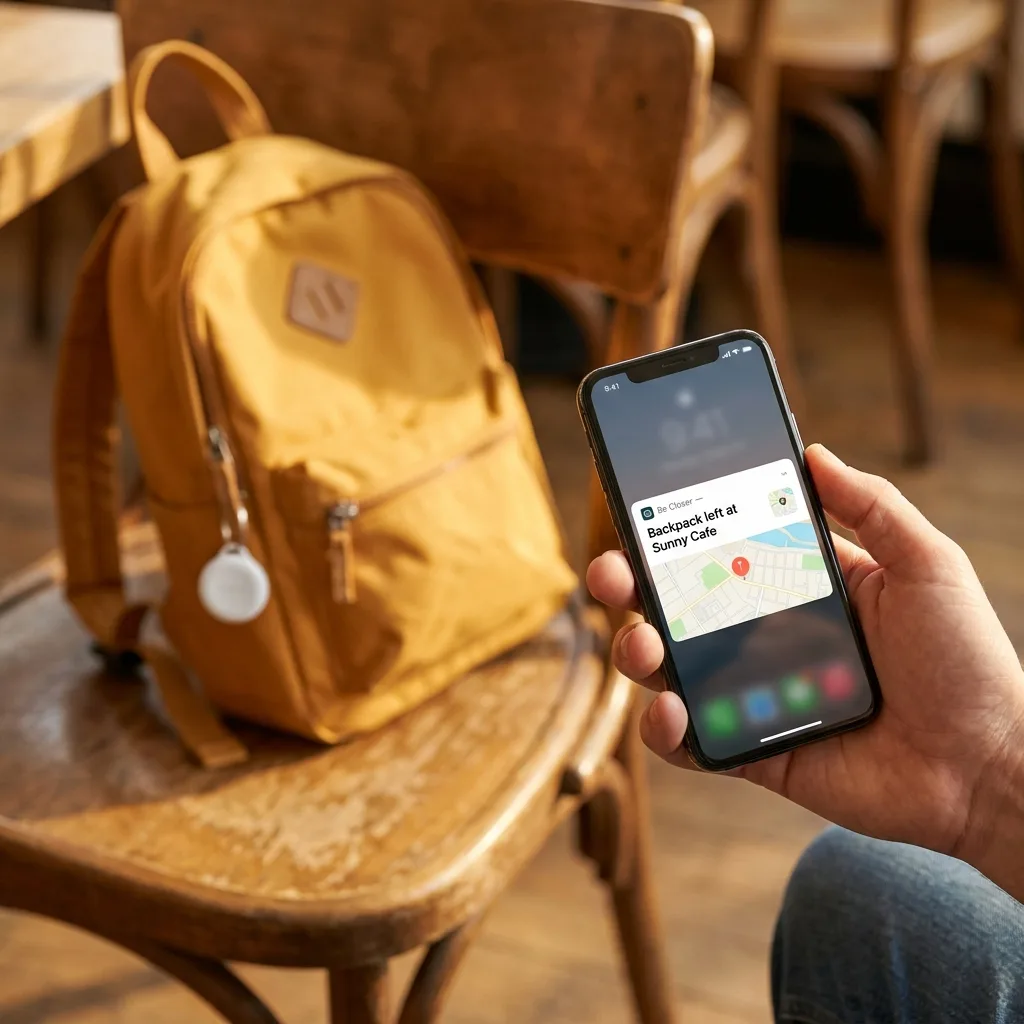
Family apps like Be Closer are built around ongoing sharing inside a chosen circle, which is a different job from a one off share with a stranger. The temporary equivalent is usually pausing or leaving a circle, or creating a circle for a specific trip and dissolving it afterwards. The app is free to download and available in 13 languages, which matters when a family circle spans countries.
Choosing the right tool
- One evening, one friend: messaging app live location. Fastest to start, expires by itself.
- One trip, one relative: the phone's built in sharing with an end of day timer.
- Ongoing family arrangement: a family app circle, reviewed every few months.
- Someone you do not know well: share with a friend about the meeting, never with the person you are meeting.
Verifying that sharing actually stopped
This is the step people skip, and it is the one that determines whether you can trust the whole system. Do not assume a timer expired. Check the list.
- 1Open the app you shared from and find the screen that lists who you are currently sharing with. Every mainstream tool has one.
- 2Confirm the list is what you expect. Unfamiliar names usually mean an old share, not something sinister, but treat every entry as a decision you are re-making today.
- 3Stop anything you do not have a current reason for. No explanation owed.
- 4Ask the other person to confirm your dot has vanished from their view. A five second sanity check beats a menu you might have misread.
- 5Put a calendar reminder every three months to repeat this. That single habit is worth more than any amount of caution at setup time.
For the wider audit, including apps that quietly collect location in the background rather than sharing it with a person, who can see my location walks through the full check.
Be Closer shows your whole family on one private map, free to start.
Consent-first, never sold, and gentle on your battery. iOS and Android.
The etiquette of asking
Asking someone to share their location can land as care or as control, and the difference is almost entirely in how the ask is framed. Three things make it land well.
- Name the reason and the window. "Would you share until you are home tonight, the roads are terrible" is easy to accept. "Just turn on sharing" is not.
- Offer it both ways. Mutual sharing is a different relationship from one way sharing. If you would not share back, think carefully about why you are asking.
- Say what you will do with it. Usually the honest answer is "nothing, unless you stop answering your phone". Say that out loud.
And accept no gracefully. Someone declining a location share is not hiding anything, they are exercising a normal preference about their own data. Pushing after a no converts a tool into a conflict.
Sharing you asked for once is care. Sharing you keep checking is something else.
With teenagers, the same rules apply with more patience, and the specific script is worth getting right. Talking to teens about location sharing covers the version of this conversation that does not end with a slammed door.
Three mistakes that make temporary sharing feel bad
Time boxed sharing is a simple tool, and when it leaves a sour taste it is nearly always for one of three reasons. All three are avoidable.
Turning a one off into a default
You share for a taxi ride home, the evening goes fine, and nobody turns it off. Six months later it is still running and neither person remembers agreeing to it. That drift is what makes people wary of sharing at all. Pick a timer at the moment you start, not later, because later never arrives.
Watching instead of glancing
The point of a share is that you can check once if something feels off. Refreshing a map every ten minutes is a different activity, and the person being watched can usually feel it even without any evidence. If you find yourself doing that, the honest fix is a message asking how they are, not a better map.
Using it as a substitute for a conversation
Location tells you where a phone is. It does not tell you whether someone is safe, happy, or telling you the truth, and treating a dot as an answer to those questions leads people badly astray. A share is a convenience layered on top of trust. It cannot manufacture trust that is not there, and quietly hoping it will is how a practical tool turns into a source of resentment.
Location answers where. It has never once answered why.
A short policy you can adopt today
The temporary sharing rules
- Default to time boxed. One hour or end of day, unless there is a considered reason for more.
- One reason per share. Write it in the message so both of you remember why.
- Verify from the settings screen, never from memory.
- Review every three months, on a calendar reminder.
- Mutual by preference. If it only goes one way, know why.
- No means no, and it is not evidence of anything.
Adopt those six lines and location sharing stops being a loaded topic. It becomes what it should have been all along: a small, temporary, easily reversed convenience that occasionally makes an evening safer.
Frequently asked questions

Daniel covers privacy, consent and the technology under the hood. A dad who reads the settings screens so you don't have to, he believes the best family tech is the kind you can explain to your kid in one sentence, and that nothing should ever be tracked in secret.
Our guides are written by Be Closer's editorial voices and reviewed by the team behind the app. Questions? support@becloser.com
Published · Updated